Prepare three images
For precise cheque-printing alignment, please provide one high-resolution scan and two measurement photos.
1. Scanned cheque image
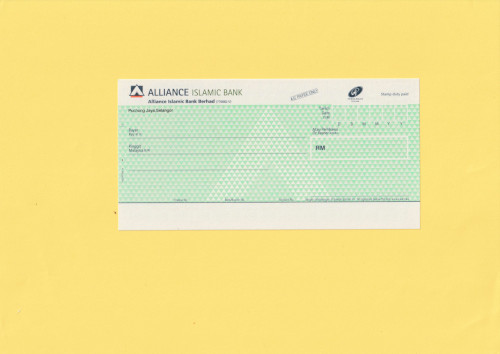
A complete, flatbed-scanned image of the blank cheque.
2. Width measurement
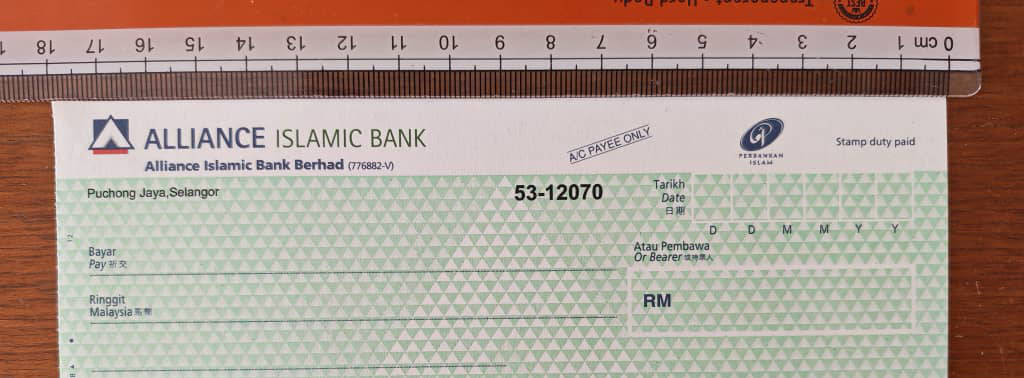
A camera photo showing the full cheque width beside a ruler.
3. Height measurement
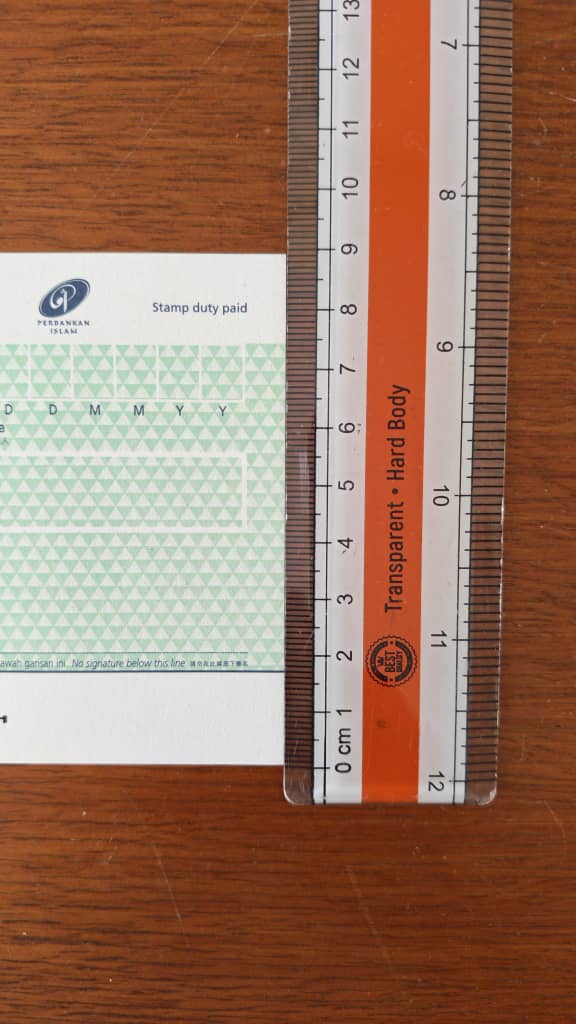
A camera photo showing the full cheque height beside a ruler.
How to prepare the scanned cheque image
-
Use a flatbed scanner and scan the cheque at a resolution of at least 300 dpi.
-
Do not use a phone camera, CamScanner, or another document-scanning app for the scanned-cheque image. Perspective distortion makes precise print alignment unreliable.
-
Scan a clean, blank, and unused cheque using the scanner’s full-colour mode. Do not use black-and-white or grayscale mode, and make sure the cheque has no writing, markings, folds, or defacement.
-
Place the cheque near the centre of the scanner bed and leave a visible margin around all four edges. Use a light-coloured background so that the cheque boundaries are easy to identify.
-
Make sure the complete cheque is visible. Do not crop or cut off any edge, corner, or printed element.
-
Save the scanned image in JPG or JPEG format at its original resolution.
How to take the measurement photos
- Place the cheque and ruler on a flat surface.
- Align the ruler clearly with the cheque edge.
- Make sure both cheque edges and the relevant ruler markings are visible and in focus.
- Take one photo for the width and a separate photo for the height.
Cheque details
Include the following information in your email:
- Country
- Bank name
- Bank account type
For example: corporate or personal - Cheque scan resolution
For example: 300 dpi - Request type
New cheque layout or update to an existing layout
Send the images and cheque details by email
Email all three images and the requested cheque details to support@chrysanth.com. I will review the submission and add or update the cheque layout as soon as possible.
Prepare the emailSamples
Select an image to open the full-size version in a new tab.
Scanned cheque image
Width measurement
Height measurement